Write once, reach all.
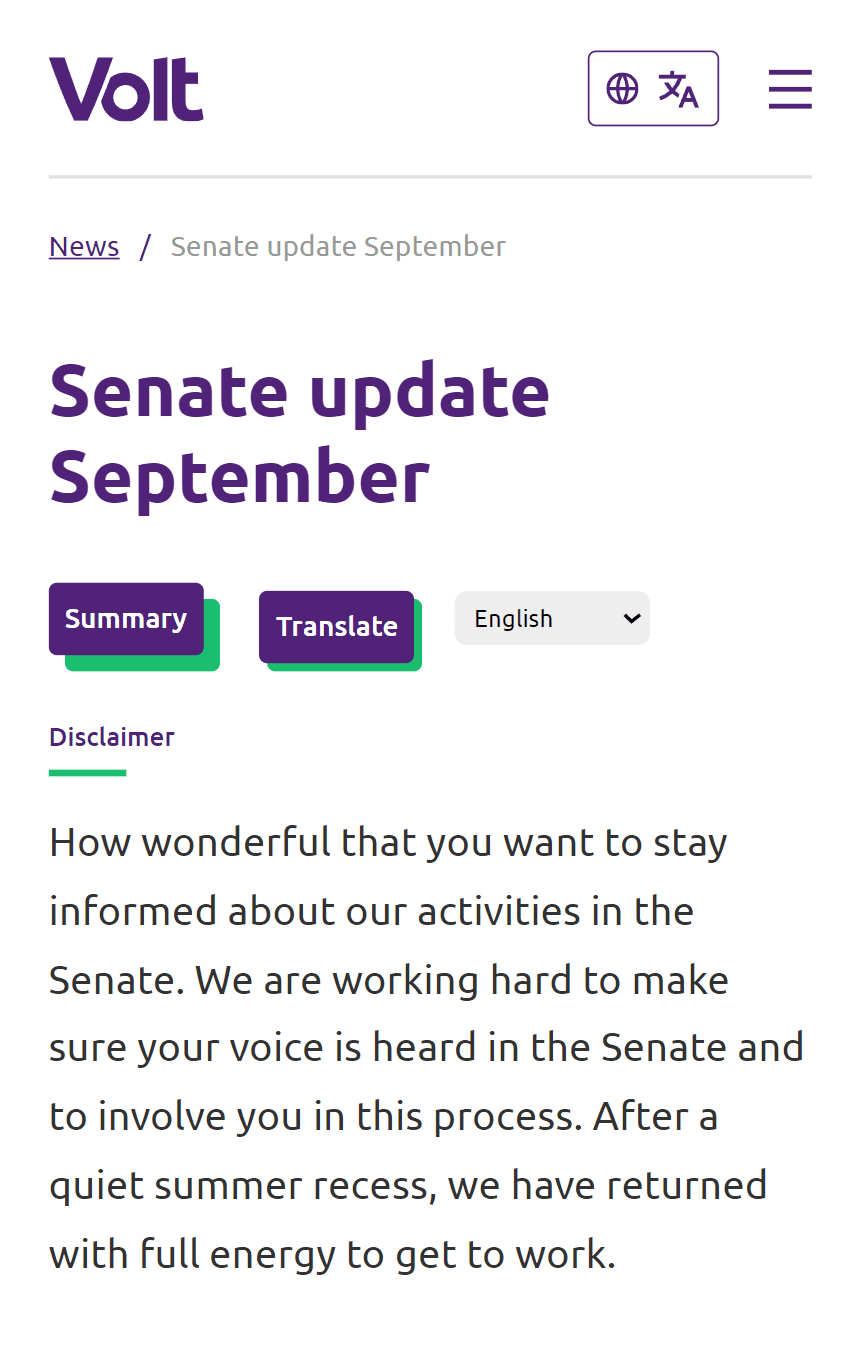
Instantly make your website more inclusive. We use AI to provide summaries, simplifications and translations for your visitors, allowing them to understand your content, no matter their background. Works on any site.
Contact us uses Text-Sense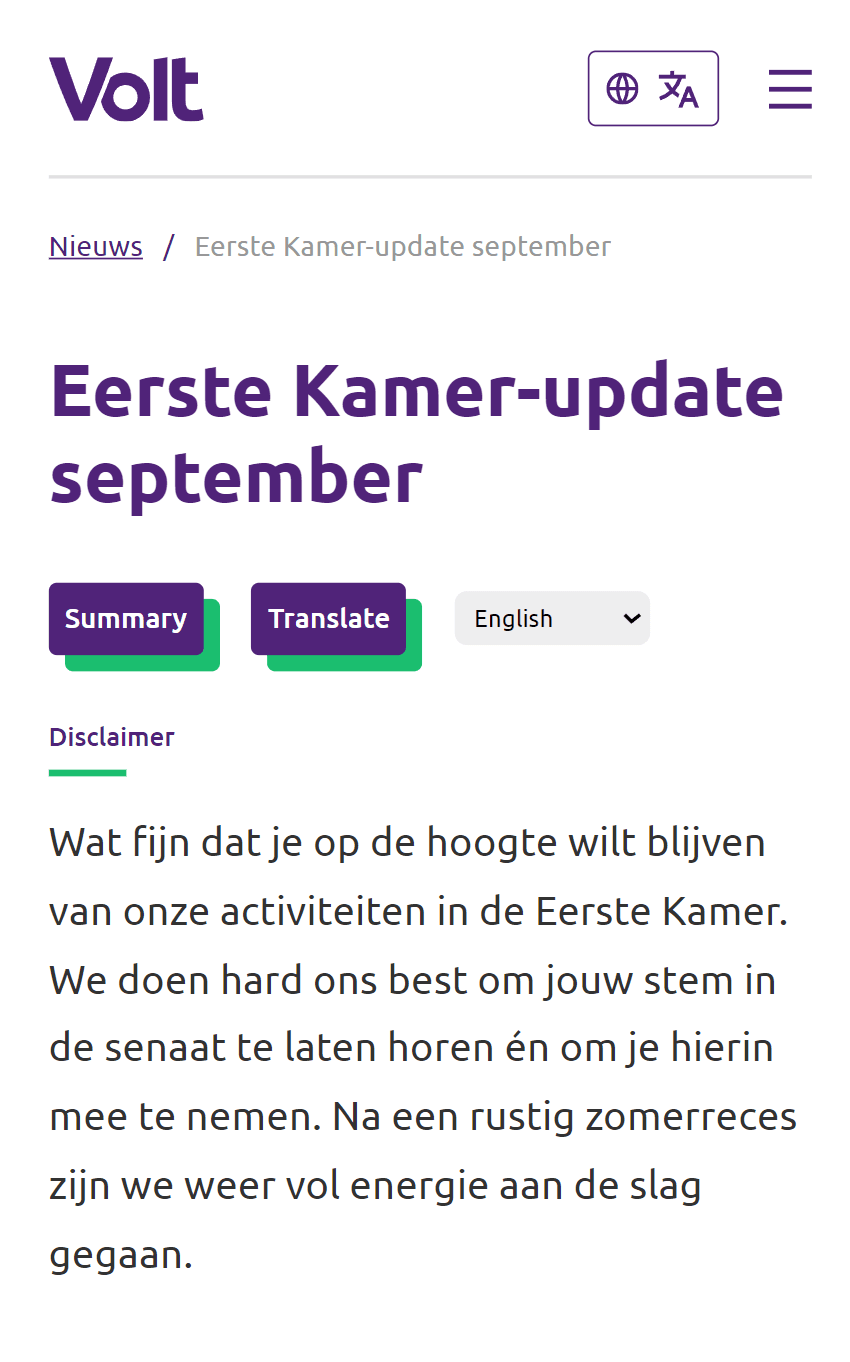

Selected customers

Text-Sense makes your website accessible. Automatically.
Content often goes unread when visitors speak another language or find long, complex text hard to get through. Text-Sense adds on-page translations and summaries so people can read your site in their own language and grasp the essentials quickly—without leaving your pages.
Plans that makes sense
From small site to multi-billion visitors, we’ve got a plan for you.
Standard
€200
For standard traffic, with dedicated email support
- Unlimited amount of text blocks
- Up to 2,000 monthly usages included
- Only €0.20 per usage thereafter
- Super fast responses
- Configurable targets
- Configurable buttons and styling
- Dedicated email support
- Analytics available as paid add-on
Professional
€400
For higher traffic, with free analytics
- Unlimited amount of text blocks
- Up to 10,000 monthly usages included
- Only €0.10 per usage thereafter
- Super fast responses
- Configurable targets
- Configurable buttons and styling
- Dedicated email support
- Free analytics
Enterprise
€1000
Our enterprise solution, with full support
- Unlimited amount of text blocks
- Up to 100,000 monthly usages included
- Only €0.05 per usage thereafter
- Super fast responses
- Configurable targets
- Configurable buttons and styling
- Custom work and serverside integrations
- Full support through email, phone, video
Why Text-Sense?
We know that many websites have manually created translations or summaries. Or they rely on their users to translate themselves. We think those options aren't great. Here's why, and how Text-Sense compares.
Frequently asked questions
If there is anything else you'd like to know, reach out to us.
How does this work?
Based on your configuration, we add Text-Sense buttons above specific texts. When a user clicks on a button, we send the text to our servers. We then send the text to an AI provider to generate a summary and/or translation. We send the summary and/or translation back to the user. And we store them server-side for faster retrieval next time.
How is my website data used?
We send targetted texts on your website to an AI provider to generate the relevant summaries and translations. Then we store those for faster retrieval next time. We do not use your texts for anything else than to make Text-Sense work for you. We track the number of usages of Text-Sense on your website. We do not store any other data from your website. We do not track your users. We do not use cookies.
What if I do not want texts from my website to be sent to Text-Sense servers?
Our service relies on the fact that we process specific texts from your website and make them more relevant for your users. If you do not want your website texts to be sent to our servers, then you cannot use our service.
What happens if I go over my free plan?
We will pause Text-Sense on your website and send you an email to let you know that you are over your free plan. You can then decide to upgrade to a paid plan, or to wait until next month when the free credits reset.
Can I upgrade at any time?
Yes. The new plan will start immediately and you will be charged the pro-rated amount for the rest of the month. You will then be charged the full amount at the beginning of each month.
Can I cancel or downgrade at any time?
You can cancel or downgrade at any moment. Your subscription end date depends on your plan. For example, if you have a monthly subscription and you cancel on the 15th of the month, your subscription will end on the last day of that month. If you have an annual subscription and you cancel anytime during the year, your subscription will end on the last day of that year. You will not be charged again after that date.
How can I get started?
You can get started by adding a small script to your website. It will generate dummy results, so you can test your configuration. You can then register for a free or paid plan to get real results. You can find more information in our documentation.
How can I tell Text-Sense which texts it should target?
This is done using a CSS selector. Text-Sense will then add its buttons right above those texts. You can find more information in our documentation.
How can I customize which buttons are shown, where they are shown, or how they look?
This is only possible with a paid plan. You can find more information in our documentation.
Documentation
Text-Sense is driven by a small JavaScript config on your pages. The documentation walks through each option and includes realistic examples for common setups—from a single site-wide block to path-specific layouts and styling.
Path and layout rules
Limit the embed to specific URLs, choose where the toolbar sits with CSS selectors and anchors, and target only the main content if you like.
Actions and content scope
Turn summarize and translate on or off per setup, and narrow or exclude regions (for example navigation and footers) with simple filters.
Look and feel
Adjust wrapper and button styling, language lists, disclaimers, and the result panel so the widget feels native on your site.
Deep links and examples
Optional query parameters can pre-select a language or trigger actions; the docs include copy-ready examples you can adapt.